9h Glass Cutting Software About
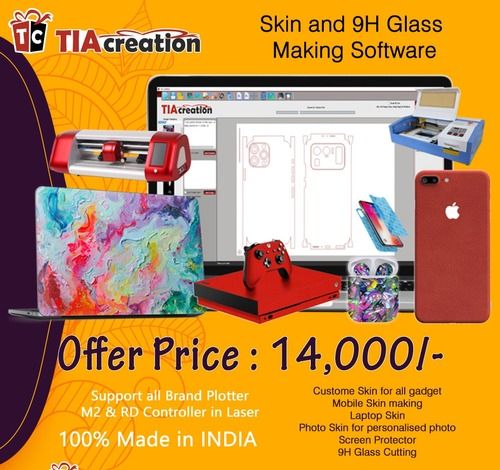
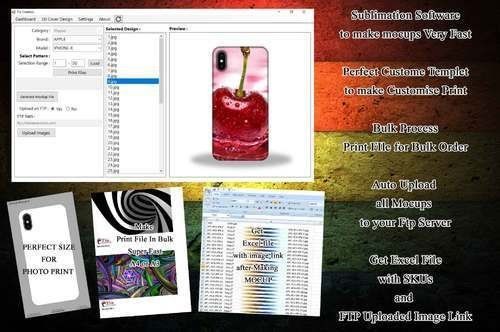
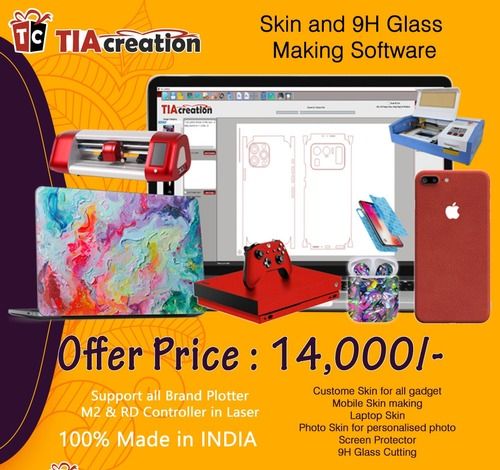
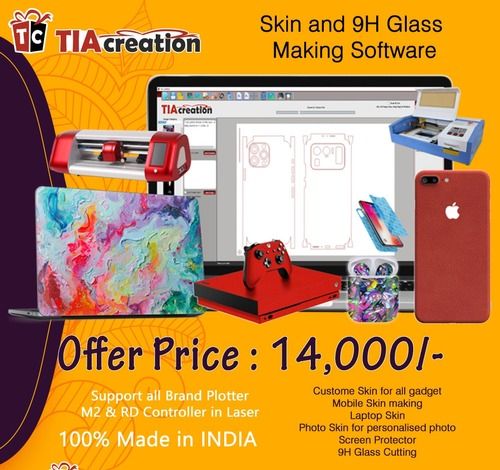
Mobile Cover Skin Software Making personalized mobile skin is a fully software-based operation. The software has more than 11800 templates & gets automatically updated each time you connect to the internet(3g 4g required). Software supports major cutting plotters,also laser machines.You can use the software for:
- Mobile Skin Cutting
- Personalised Mobile Skins
- Skins for chargers,earphones,airpods,smart watches,Tablets.
- Skins for Gaming Consoles/ Playstations.
- Skins for laptop.
- 9H Temper Glass
- Screen Protector
- Acrylic Mirror for Smoke Cases
- Skins for Mobile Cases
& Much more.......3D 2D mobile covers or molds are not required, so you donat need to keep stock of blank covers for any latest models, and is cost-effective too.No per cut charges,unlimted cuts.Our Software supports Indian Models MobiLE Phones unlike chineese.Support available In India.Free Demo/Trial Also AvailableAdditional Information:
Comprehensive Cutting Pattern Support9h Glass Cutting Software accommodates a wide array of cutting requirements, from simple rectangles to intricate custom shapes. Its intelligent automation ensures optimal material utilization, significantly reducing wastage and improving efficiency. The integrated customizable library lets users adapt to specific glass types and operational needs, facilitating adaptability across different industrial applications.
Seamless Integration and Report GenerationThe software effortlessly integrates with CNC machinery and batch processing systems, streamlining your workflow. With powerful reporting capabilities, users gain access to detailed cutting reports and comprehensive waste analysis, empowering businesses to enhance productivity and monitor key performance indicators. Automated nesting and layout generation further optimize the cutting process.
Robust Security and Flexible AccessSecurity and accessibility are at the forefront, with password protection, user authentication, and support for both cloud and local backups. The system's multi-user capabilities and LAN/WAN compatibility make it highly suitable for factory, commercial, and enterprise use. Easy installation, either online or offline, and 24/7 support ensure seamless operation.
FAQ's of 9h Glass Cutting Software:
Q: How does 9h Glass Cutting Software optimize material usage during the cutting process?
A: The software uses advanced automated nesting and layout generation algorithms to arrange cutting patterns for rectangles, lines, and complex shapes in a way that maximizes glass sheet utilization and minimizes waste. Detailed waste analysis further assists in tracking efficiency and helps refine cutting strategies.
Q: What output formats are supported, and can I share cutting projects with other systems?
A: 9h Glass Cutting Software supports exporting cutting layouts and reports in DXF, CSV, and PDF formats. The built-in import/export capability allows seamless integration with CNC machines and external systems, making it easy to collaborate or transfer projects between departments or partners.
Q: When should I use batch processing features within the software?
A: Batch processing is ideal when you need to handle multiple cutting projects or repetitive cutting tasks simultaneously. This feature enhances productivity and reduces downtime by allowing multiple jobs to be scheduled and executed with minimal manual intervention.
Q: Where can the software be installed and what are its system requirements?
A: The software runs on Windows 7/8/10/11 (64-bit) systems, requiring at least a 2GHz processor, 4GB RAM, and 1GB of free disk space. It offers flexible installation options (online/offline) to accommodate both factory and commercial environments operating over LAN or WAN.
Q: What is the process for customizing glass types and creating custom cutting rules?
A: Users can utilize the customizable material library to define new glass types with specific properties. Additionally, the software enables the creation of custom rules and patterns to match unique operational requirements, ensuring optimal compatibility with a variety of industrial processes.
Q: How does user authentication and security work within the software?
A: The system incorporates robust password protection and user authentication measures. It supports multi-user access, ensuring that only authorized personnel can access project data or modify settings, thus enhancing operational security.
Q: What benefits does the 24/7 support and remote assistance offer to users?
A: Around-the-clock online support and remote assistance guarantee quick resolution of technical issues, minimize operational downtime, and ensure continuous, reliable software performance. This continuous support is especially valuable for large-scale or mission-critical factory environments.





 Send Inquiry



 Send Inquiry
 Send Inquiry
 Send SMS
 Call Me Free