Mobile Skin Softwere About
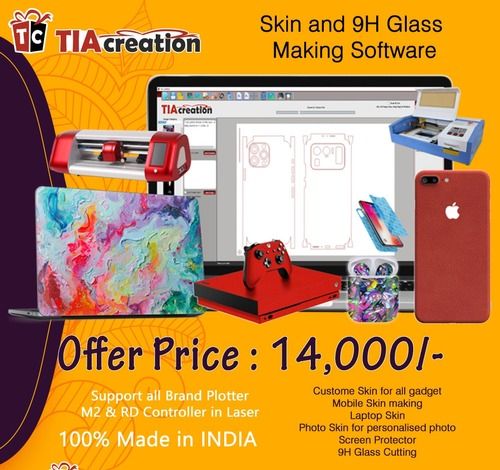
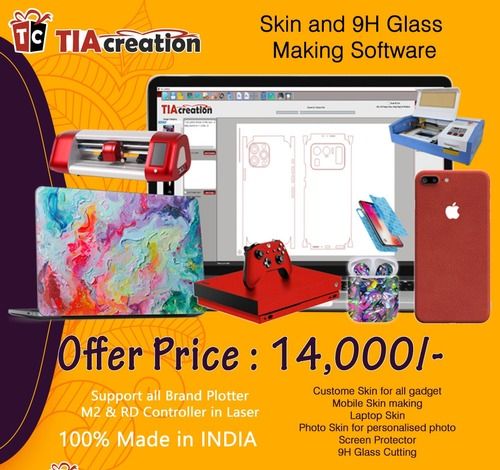
It is actually pretty easy to useA mobile skin software, Main window is designed with easy navigation to make all products skin from your designs or ready skin, it's easy to use by anyone, even those who just starting up business, you can make skin with no Limit and when you want.What you make from TIA Creation Skin SoftwareCustome Skin for all gadgetMobile Skin makingLaptop SkinPhoto Skin for personalised photoScreen Protector9H Glass CuttingMore Products will update every time...Additional Information:
- Production Capacity:A 10000
- Delivery Time:A 1 day
Extensive Customization and Design CapabilitiesCreate unique mobile skins effortlessly with unlimited templates, powerful editing tools, and support for major graphic file formats. Whether designing from scratch or adapting existing artwork, the vast device model library ensures compatibility with over 5,000 mobile phone models, aiding both hobbyists and professionals.
Seamless Printing and ExportingPrint your designs directly using all major printer brands or export high-resolution output for professional-grade results. The software's compatibility with industry-standard printing and cutting machines guarantees a streamlined workflow from digital design to finished product.
Effortless Installation and Ongoing UpdatesStart designing instantly with online or offline installation options. Receive automatic online updates, ensuring access to the latest features and model libraries. With a demo version available, users can evaluate functionality before committing.
FAQ's of Mobile Skin Softwere:
Q: How do I install the Mobile Skin Software on my computer?
A: The Mobile Skin Software can be installed either through an online or offline installer. After downloading the appropriate version for your Windows or Mac OS, follow the guided installation steps. Ensure your system meets the minimum requirements: 4 GB RAM, 2 GHz processor, and 500 MB hard disk space.
Q: What file formats can I use when importing or exporting designs?
A: You can import and export designs using JPG, PNG, SVG, PSD, and PDF file formats. Exported files are produced in high resolution, making them ideal for both printing and professional presentation.
Q: When are software updates provided, and how are they installed?
A: Software updates are delivered automatically online. As long as your device is connected to the internet, new features, model libraries, and enhancements are seamlessly integrated. Updates are available for the lifetime of your license.
Q: Where can I access support if I encounter any issues?
A: 24x7 technical support is available to assist you. Reach out through the service provider's support system for help with installation, usage, troubleshooting, or any technical queries.
Q: What security features does the software offer to protect my designs?
A: Your files benefit from password protection and encryption, ensuring that your custom mobile skin designs remain confidential and secure against unauthorized access.
Q: How does the cloud backup feature benefit users?
A: Cloud backup allows you to securely store your projects, templates, and design assets online. This ensures that your work is protected from local data loss and can be accessed from multiple devices if needed.
Q: Can the software be used for printing and cutting skins for any mobile device?
A: Yes, the Mobile Skin Software supports a device model library with 5,000+ mobile models and provides compatibility with all major printer and cutting machine brands, making it suitable for creating and producing skins for virtually any mobile device.






 Send Inquiry



 Send Inquiry
 Send Inquiry
 Send SMS